4,500 Free Iridescent Shards
Create a Behaviour Account and opt-in to communications to receive 4,500 Iridescent Shards. This is a one-time reward; if you have not done this already, you can get it!
No one likes ads, but they help keep the site alive. If you'd like to support me, please consider turning off your ad blocker – Thank you!
Step-by-Step Guide
Before proceeding, be aware that opting into communications may involve sharing your personal data with Behaviour Interactive and third parties working with them, including service providers, advertising partners, and business partners. This may include, but is not limited to, your name/username, gender, age, email address, IP address, device information (including operating system, platform, and browser details), general (non-precise) location, time zone, and usage data, which may be used to send you personalized newsletters, promotions, and targeted advertisements. Data collection practices may change over time. Please review their official Privacy Policy for the most up-to-date information on how your data is collected and used: bhvr.com/privacy-policy
To receive your gift, just follow the instructions below:
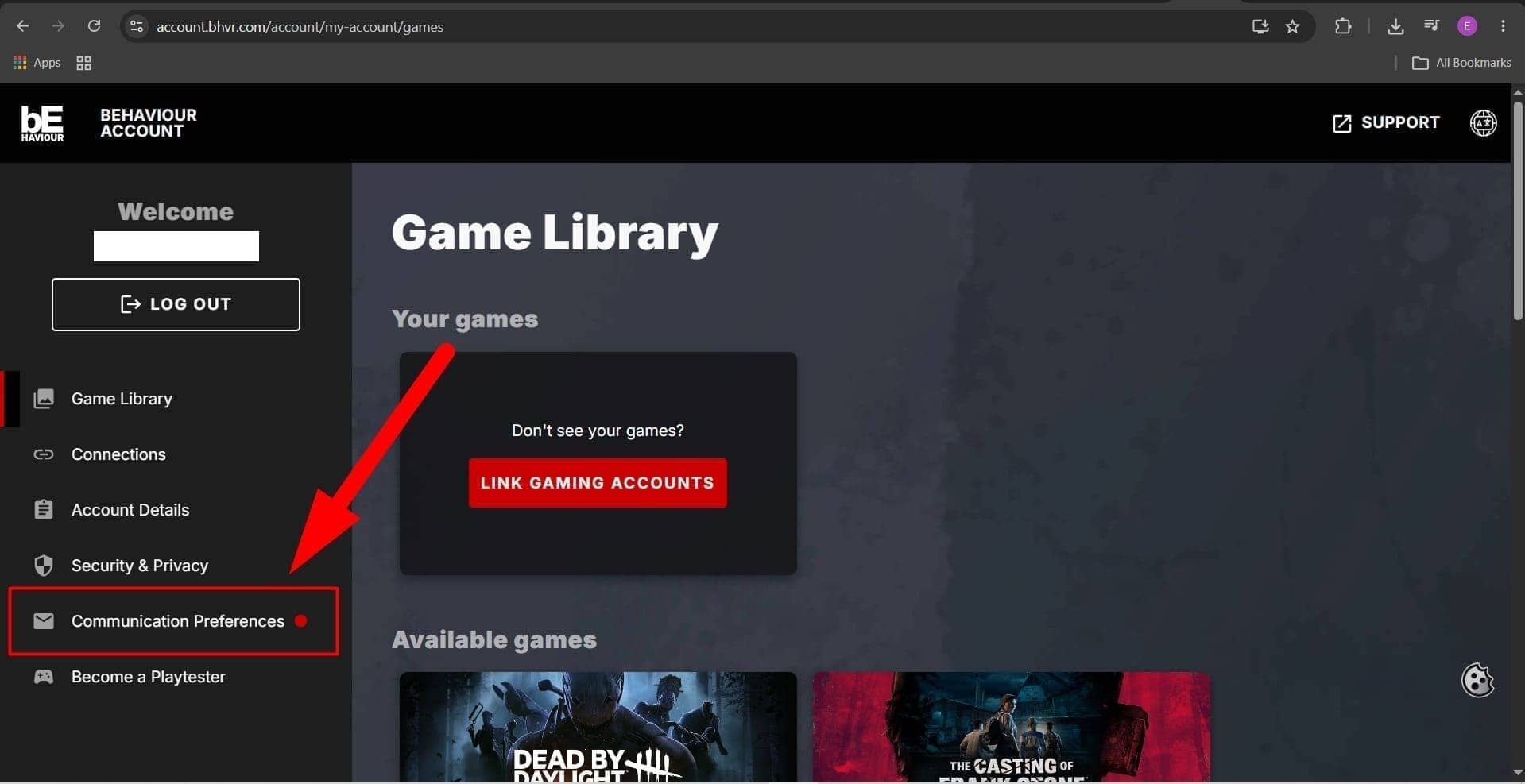
- Go to account.bhvr.com and log in or complete the sign-up flow.
- Once logged in, navigate to the Communication Preferences section.
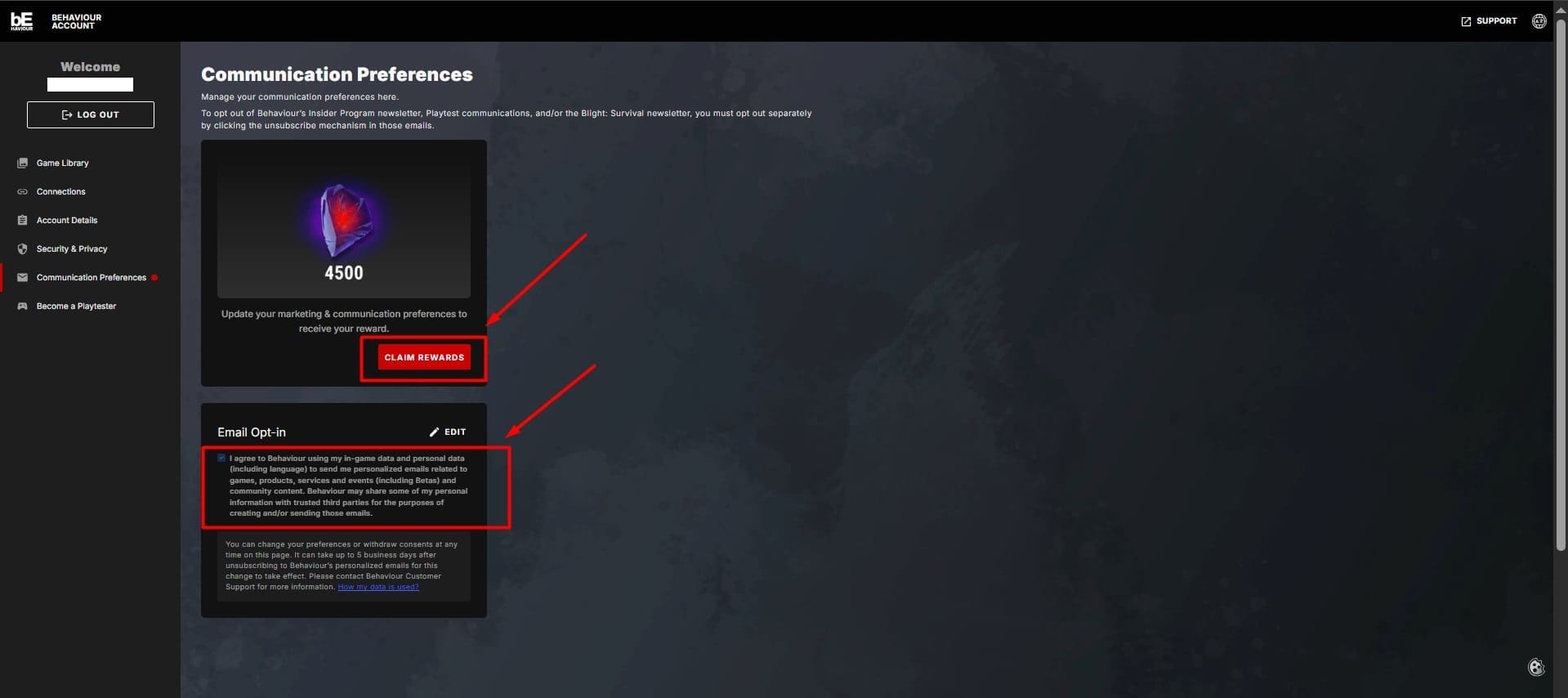
- Check the consent form boxes to opt into personalized communications.
- Click on Claim Rewards and follow the prompts that appear.
- Launch Dead by Daylight where your reward will automatically appear in your inventory.
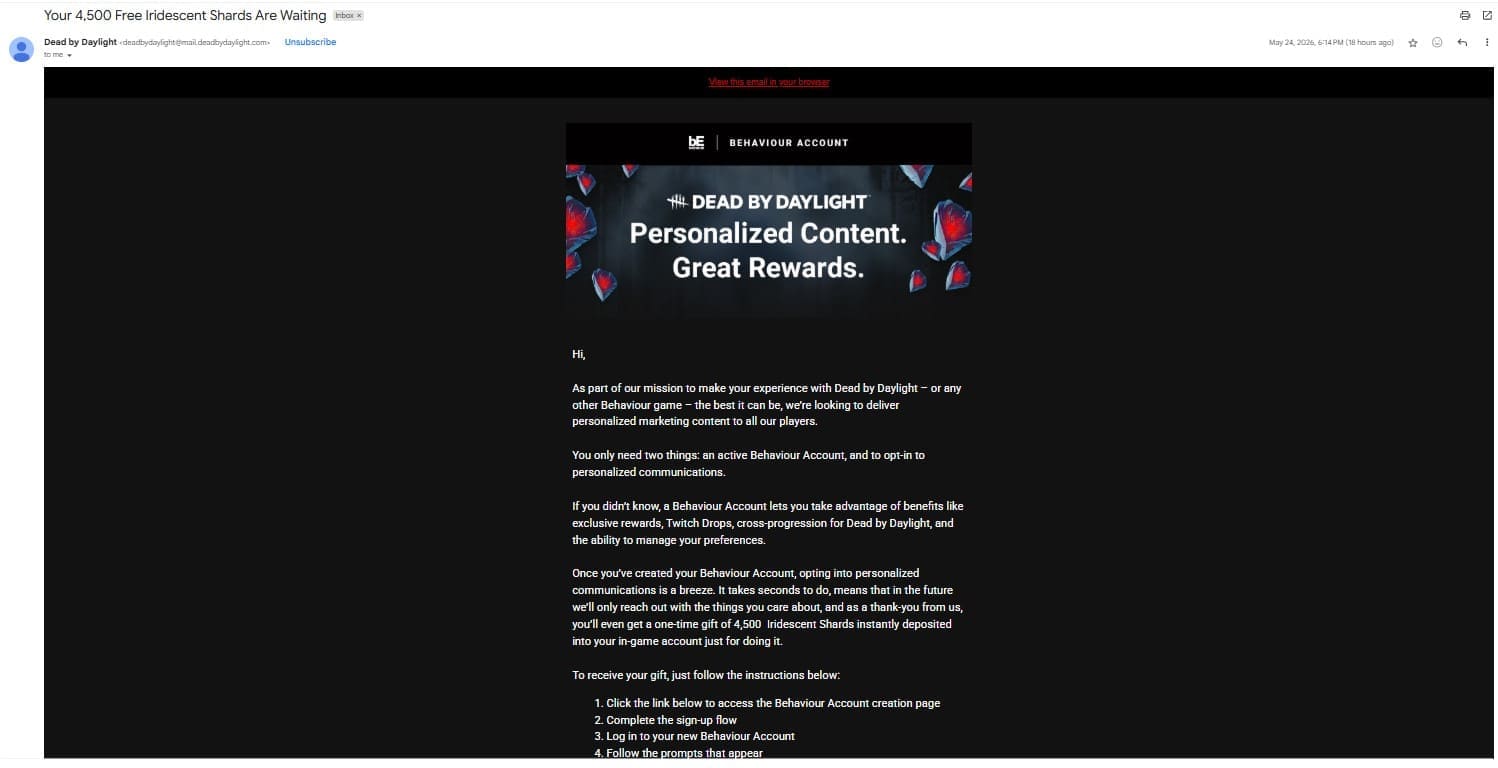
Official source:
Look for the official email in your inbox titled "Your
4,500 Free Iridescent Shards Are Waiting" sent by Dead by Daylight
Account Benefits
A Behaviour Account lets you take advantage of exclusive rewards, Twitch Drops, cross-progression, and preference management. You can unsubscribe and change your communication preferences at any time. For more information, please read their official Privacy Policy: https://www.bhvr.com/privacy-policy/